Food safety
The food-safety binder,
on the line.
36MDC is a mobile workflow for the food-safety records caterers, commissaries, and bakeries already keep — cold and hot holding, cooling, receiving, employee illness, and cleanup events.
Accepting first launch partners · 2026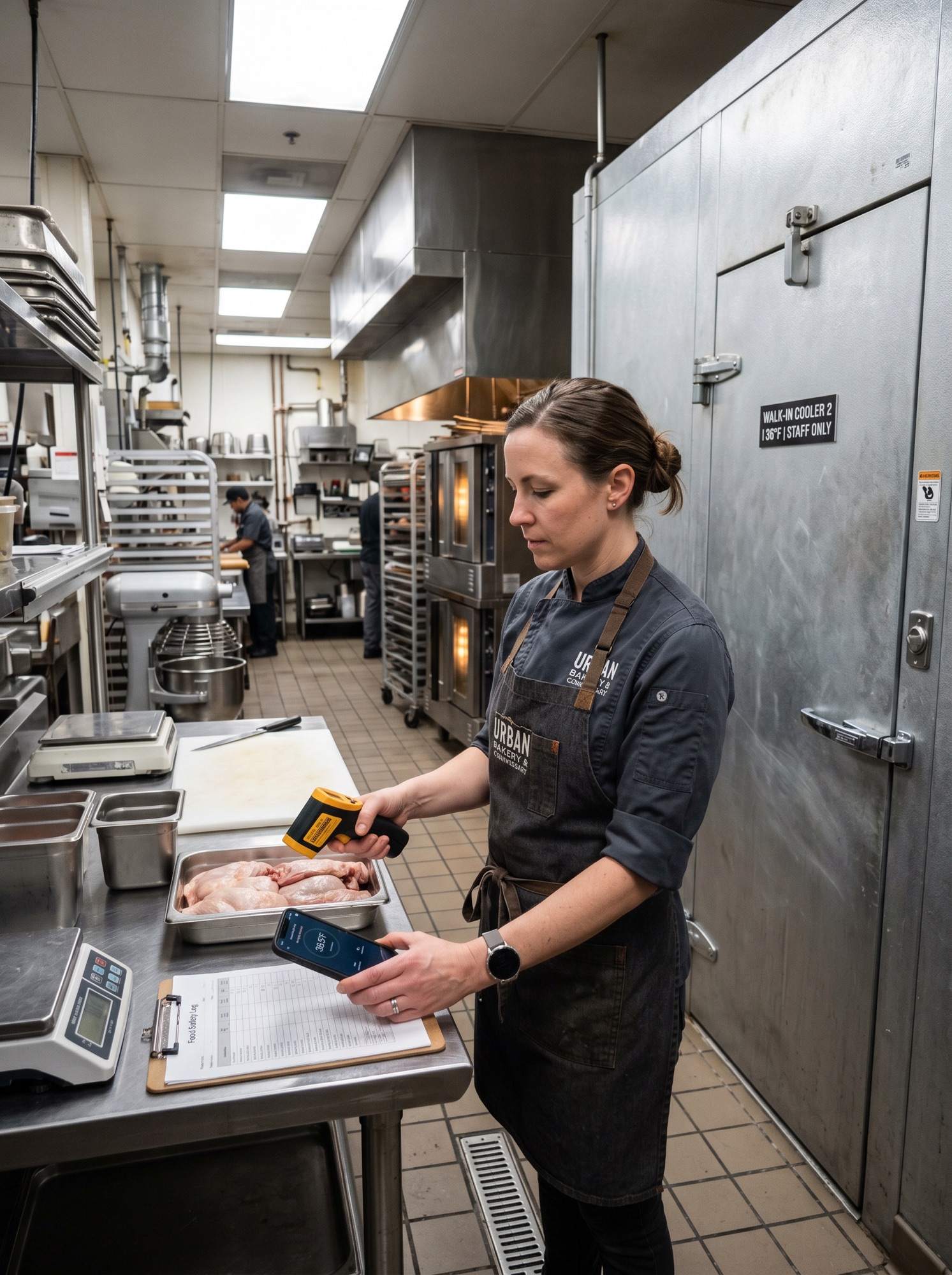
The day-to-day problem
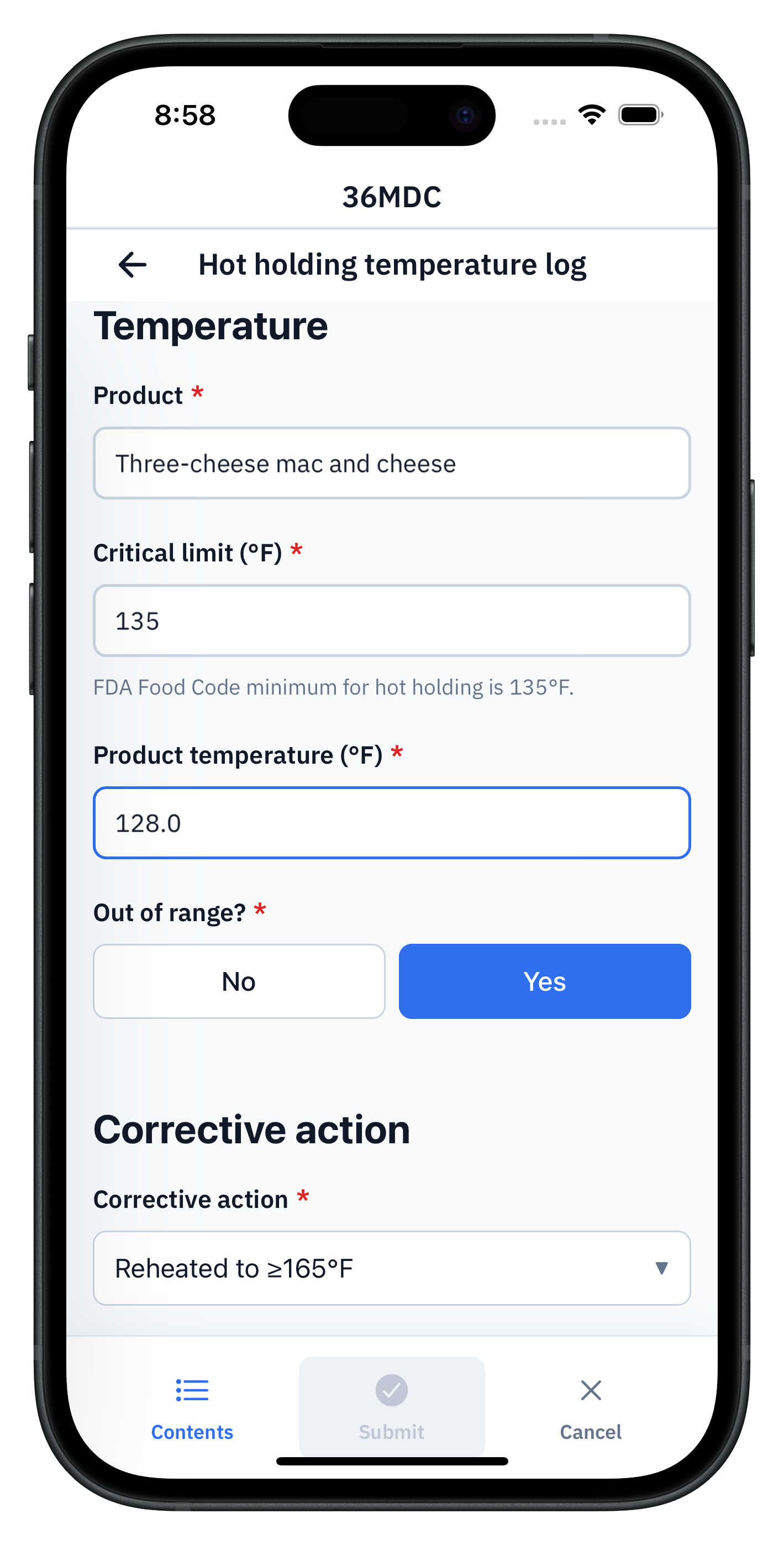
The form should not let a temperature submit without a corrective action.
Food operators don't usually fail because they lack a policy. They fail because shift-level monitoring is inconsistent. Temperatures get skipped. Corrective actions go undocumented. Cooling windows close before anyone records the second reading. Receiving checks are informal. Employee illness reporting is incomplete.
And when an inspector or a regional manager asks for the records from last Saturday, those records are scattered across binders, stained log sheets, and the back of a clipboard. The FDA Food Code already publishes the logs you have to keep. The question is whether they get completed on time, and whether anyone can find them later.
What we'd build for your kitchen.
Six logs, mapped to the FDA Food Code and the binders most caterers, commissaries, and bakeries already keep. Built once, used across every shift.
- 01
Cold holding temperature log
The most frequently completed food-safety record. The one most likely to get skipped on paper.
Date, time, product, temperature, critical limit, equipment type, initials, recheck, corrective action.
- 02
Hot holding temperature log
Same shape as cold holding, with equally strict critical limits and a higher cost when missed.
Date, time, product, temperature, critical limit, equipment type, initials, corrective action.
- 03
Cooling log
The form most exposed to timer drift on paper. Two timestamped readings, one window, no second chance.
Food product, stage 1 temperature, stage 2 temperature, total time, cooling method, critical limit, corrective action.
- 04
Receiving temperature log
Catches problems at the back door before they hit the line.
Date, time received, product, delivery temperature, storage destination, accepted or rejected, initials, corrective action.
- 05
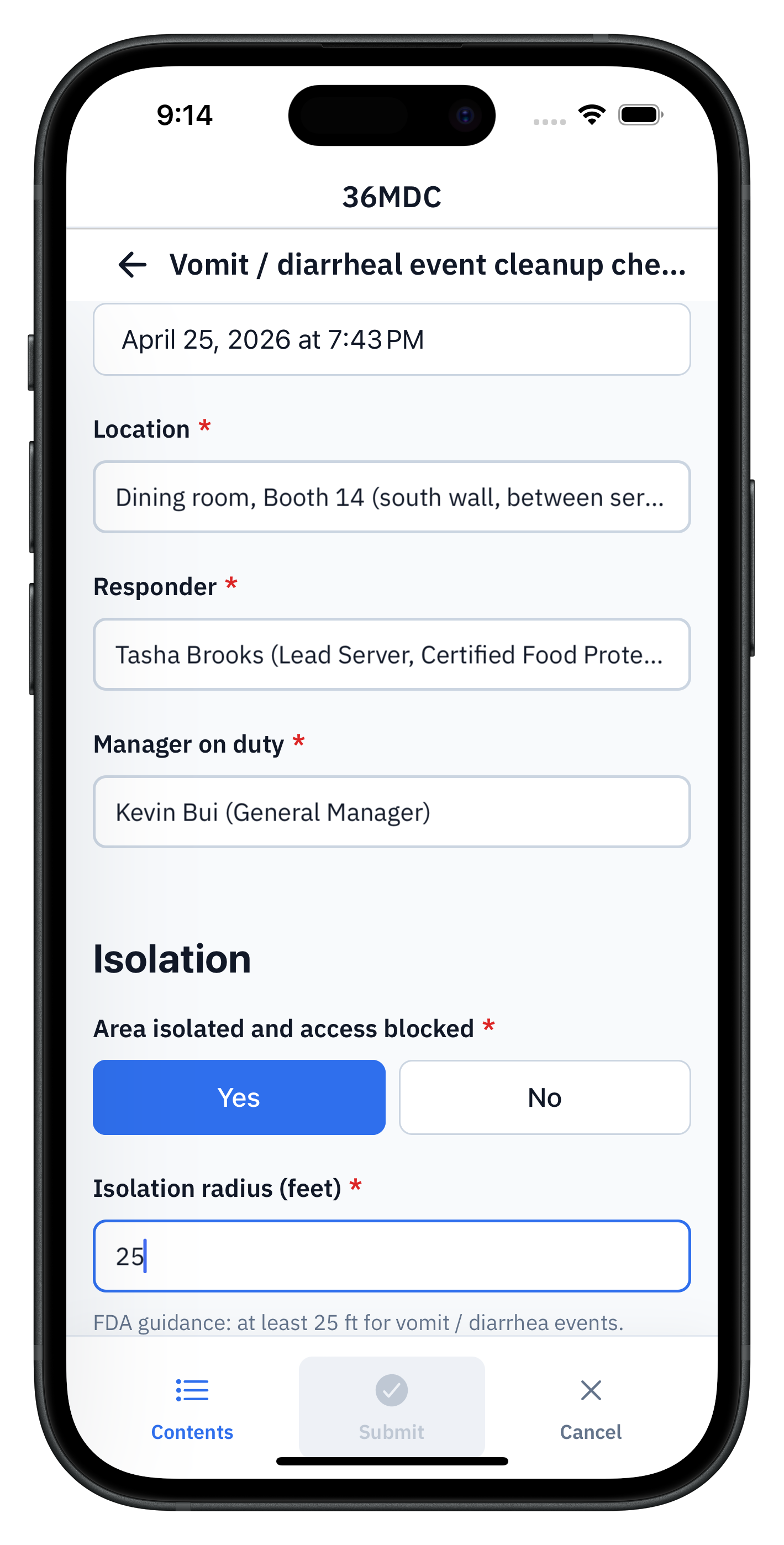
Vomit and diarrheal event cleanup
FDA Food Code 2-501.11 and CDC norovirus guidance require a documented response — and most kitchens have nowhere to file it.
Event date and time, location, responding manager, isolation radius (default 25 ft), people impacted, surfaces affected, sanitation steps completed, product disposal, return-to-service approval, signature.
- 06
Employee illness and exclusion tracker
FDA-required and easy to lose track of. Captured once, with a clear return-to-work decision attached.
Employee name, symptom set, onset date, diagnosis or exposure, exclude or restrict decision, return-to-work criteria, signed acknowledgment.
Where 36MDC fits
Not a full restaurant operations suite.
36MDC is the offline field-record layer for the forms, logs, inspections, incidents, and corrective actions that still happen on paper, clipboards, spreadsheets, email threads, or disconnected tools.
- NotPOS or inventory management
- Notreal-time temperature-sensor monitoring
- Notscheduling, payroll, or staff training tools
36MDC sits alongside whatever you use to run the kitchen. We are the layer for the manual logs and corrective actions that have to be completed at the moment of work.
What your office gets
Field records become business data.
Once records sync, the office can search, export, audit, and report on them. The first workflow usually reveals the larger opportunity.
- 01
Find a record fast
Filter every temperature log, sanitation check, or corrective action by date, station, or staff.
- 02
Export cleanly
Export a month of temperature logs as a CSV. Hand the health inspector a clean PDF without scrambling.
- 03
Track exceptions
See every out-of-range temperature, every corrective action, every retraining moment. Nothing gets buried.
- 04
Spot trends
Watch the holding-temperature pattern across a kitchen, a station, or a shift. Spot equipment failing before it fails publicly.
- 05
Generate reports
Auto-build the weekly food-safety review. Skip the binder reconstruction.
- 06
Feed downstream
Push records to the POS reporting system, the corporate operations dashboard, or the chef's spreadsheet.
Why kitchens pick us.
Required corrective actions
If a reading is out of range, the form does not submit. Corrective action becomes a required field, with a reviewer attached. There is no quiet skip.
Today's exceptions, not the archive
Shift leads see what was missed, what is overdue, and what is still unresolved on a phone. Browsing the full archive happens at the desk.
No sensors required
The FDA Food Code accepts manual readings, and most state health departments publish blank logs that assume them. Sensor integrations can come later. They are not the wedge.
Walk through your food-safety log pack
30-minute demo on a real device. We'll cover cold and hot holding, cooling, receiving, employee illness, and the cleanup-event response — and any specific log you flag in the booking notes.
We are accepting a small number of caterers, commissaries, and bakeries as launch partners before public release. We are honest about what is ready and what is not.